Master Your Classroom: The Ultimate Teacher Lesson Planner
For educators, organization isn't just a preference; it's the bedrock of a successful classroom. A well-structured plan can transform a chaotic week into a series of impactful learning moments. This is where a dedicated Teacher Lesson Planner becomes an indispensable tool. Far more than a simple notebook, a high-quality planner is a dynamic system designed to streamline your workflow, track student progress, and bring a sense of calm to the daily demands of teaching. The visual design and practical features of such a planner directly influence how effectively you can use it, making the choice of a well-designed template a critical decision for any educator.
The Anatomy of an Effective Planner: Beyond Just Scheduling
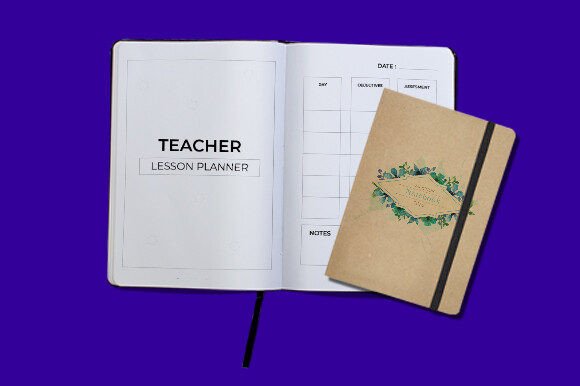
A truly functional Teacher Lesson Planner understands the multifaceted role of an educator. It's not just about listing Monday's math problems and Tuesday's reading assignment. Its personality is one of clarity, professionalism, and adaptability. Visually, it balances clean, readable typography with thoughtful layout structures. Sections are logically grouped—weekly spreads sit alongside unit plan overviews, assessment trackers, and parent communication logs. The style is modern and practical, avoiding overly childish motifs in favor of a sophisticated, adult-appropriate aesthetic that respects the professionalism of the teaching vocation.
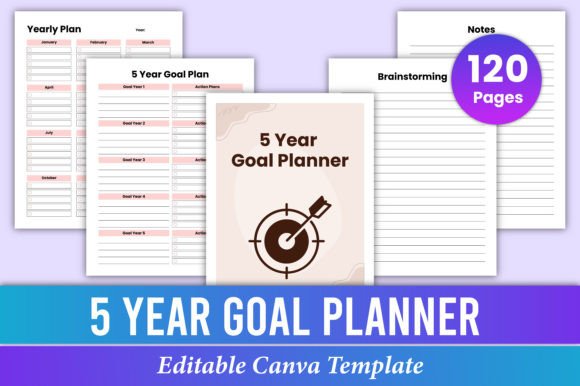
The overall appeal lies in its ability to be a personal command center. The inclusion of customizable templates is a game-changer. Imagine being able to modify text to match your specific subject terminology, adjust colors to create a calming or energizing visual rhythm, or switch fonts to improve personal readability. This level of customization transforms a generic tool into a personalized system. When you receive High-Quality Print-ready PDF Files alongside editable JPG and PNG versions, you're equipped for any scenario—whether you prefer a physical binder or a digital tablet. The standard 8.5X11 Inches size ensures compatibility with standard printers and folders, while the substantial 120 Pages provide ample space for a full academic year. The use of RGB Color ensures vibrant on-screen editing, and the No Bleed design guarantees clean, professional prints every time.
Strategic Applications: From Classroom to Creative Business
While its primary audience is clear, the principles behind a well-designed Teacher Lesson Planner resonate far beyond the school walls. The same organizational structure and attention to detail are invaluable to a range of professionals and hobbyists. For entrepreneurs and small business owners, it can serve as a project planner, mapping out product launches, marketing campaigns, and content calendars. Bloggers and content creators will find the weekly spreads perfect for scheduling posts, tracking analytics, and brainstorming ideas. The editable nature allows them to brand the planner with their own logo and color scheme, turning a functional tool into a piece of cohesive brand identity material.
Designers and marketers can use it to visualize campaign timelines and client deliverables. For crafters and hobbyists, it becomes a project journal for tracking knitting patterns, garden planting schedules, or scrapbooking layouts. The key is recognizing that the planner's strength—structured, customizable space for planning—is a universal need. Its visual consistency, when used across a team or for a personal brand, fosters professionalism and recognition. Using the same planner template year after year builds a familiar rhythm, making it easier to review past plans and maintain organizational momentum.
Choosing and Customizing Your Planning System
Selecting the right planner template is a practical decision. Start by evaluating the layout's fit for your specific needs. Do you need large daily blocks or a focus on weekly overviews? Is space for notes and reflections a priority? The beauty of an Editable File is that you can test these layouts. Print a single week, use it, and see if the flow feels natural. Pay close attention to the font pairings within the template. A good planner uses a clear, legible serif or sans-serif font for body text—ensuring notes are easy to read at a glance—and perhaps a complementary display font for headings to add a touch of personality without sacrificing function.
When customizing, think strategically about color. Use color coding not for decoration, but for quick visual parsing. One color for core subjects, another for administrative tasks, a third for personal reminders. This creates an intuitive visual hierarchy that speeds up your planning process. Since you'll be working with print-ready files, test your color choices on your home or office printer first. Remember, RGB colors on screen can sometimes shift when printed, so a test page is wise. The No Bleed feature is a practical blessing, meaning your content won't get accidentally trimmed, preserving the integrity of your carefully laid plans.
Ultimately, the most effective Teacher Lesson Planner is one that you will consistently use. It should feel less like a rigid mandate and more like a supportive partner. By choosing a template that offers customizable features, high-quality file outputs, and a thoughtful design, you invest in a system that reduces cognitive load, saves precious time, and allows you to focus your energy where it matters most: on your students, your clients, or your creative projects. It’s a foundational design asset that brings order to the beautiful complexity of your work.