Master Your Year with the 2024 Planner & Agenda Canva KDP Interior
As the new year approaches, the scramble to organize thoughts, goals, and schedules begins. For many, a planner is not just a tool; it is the central hub of their personal and professional life. However, finding a layout that truly fits your specific workflow can be a challenge. That is where the 2024 Planner & Agenda Canva KDP Interior steps in. This is not a static, unchangeable PDF. It is a fully editable design asset built within Canva, offering a level of customization that empowers you to take control of your year. Whether you are a small business owner mapping out product launches, a content creator scheduling posts, or simply someone who wants to bring order to the chaos, this interior template provides the structure and flexibility you need.
A Deep Dive into the Design and Structure
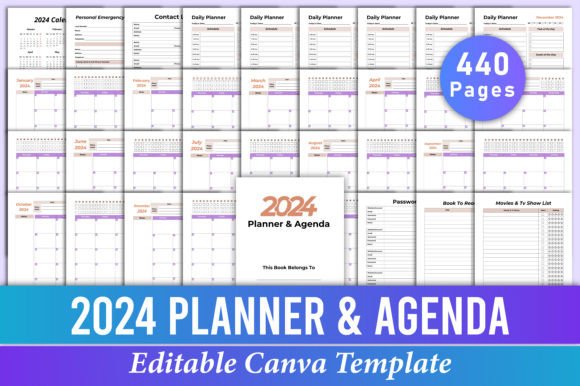
At its core, the 2024 Planner & Agenda Canva KDP Interior is a comprehensive system. The package arrives with a high-quality, print-ready 8.5x11 inch PDF, but the real power lies in the provided Canva link. This link opens up the entire 440-page document to your own Canva account, transforming it from a simple planner into a dynamic design project. The visual style is intentionally clean and modern, prioritizing function without sacrificing aesthetic appeal. It uses a balanced layout that guides the eye naturally from one section to the next, a crucial aspect of effective editorial design.
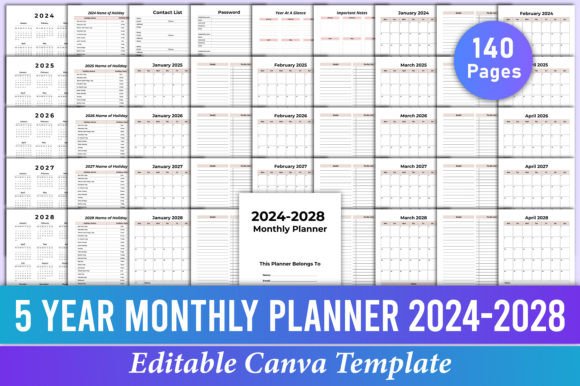
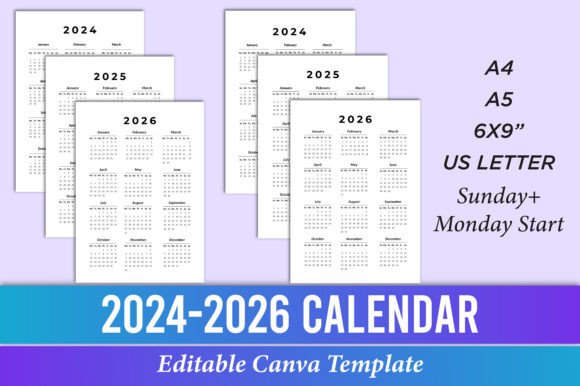
The content is meticulously organized to cover every aspect of planning. It begins with foundational pages like a "Belongs To" page and an emergency contact list, moving through a year-at-a-glance calendar and a dedicated holiday list. The bulk of the interior is dedicated to the daily and monthly planning pages, which run from January to December. These pages are the workhorses of the planner, designed for clarity. The typography within the template is chosen for maximum readability, a key consideration when you are dealing with dense scheduling information. The use of space is generous, preventing the pages from feeling cluttered even when filled with tasks and appointments. Beyond scheduling, it includes thoughtful additions like a "Books To Read" list, a "Movies & TV Show" list, and ample notes pages, making it a holistic tool for organizing your entire life, not just your meetings.
The Power of Editable Canva Templates for Brand Consistency
For entrepreneurs, marketers, and brand strategists, consistency is everything. The 2024 Planner & Agenda Canva KDP Interior excels here because it is built on the principle of editable design assets. Using the Canva link, you can easily modify every element. Change the color palette to match your brand's hex codes. Swap the fonts to align with your established brand identity—perhaps using a strong sans serif font for headers and a readable serif font for body text. You can even adjust the layout style of certain sections to better reflect your personal or corporate visual language.
This adaptability makes the template incredibly versatile. A social media manager might use it to plan content calendars, customizing the daily pages with sections for platform-specific tasks. A graphic designer could use the monthly agenda pages to track project deadlines and client meetings, styling the pages to reflect their own design portfolio aesthetic. For those in the KDP (Kindle Direct Publishing) space, this template is a direct path to creating a unique, sellable product. By editing the interior, you can create a niche-specific planner—say, a "2024 Planner for Wedding Photographers" or a "2024 Agenda for Etsy Sellers"—without starting from scratch. The high-resolution, 300 DPI, CMYK color files ensure that whatever you create will look professional when printed, maintaining the quality expected of a premium font or high-end design asset.
Practical Applications Across Creative and Professional Fields
The utility of a well-designed planner extends far beyond personal time management. Consider the blogger who needs to map out an editorial calendar for the year. The monthly and daily views in the 2024 Planner & Agenda Canva KDP Interior are perfect for plotting topics, deadlines, and publication dates. The "Notes" sections can be used for brainstorming post ideas or outlining key points. Similarly, a freelance web designer can use the planner to manage multiple client projects, using the contact list pages to keep client information handy and the daily pages to allocate time for design, development, and revisions.
For crafters and hobbyists, the planner becomes a project log. The "Books To Read" and "Movies & TV Show" lists transform into wishlists or inspiration logs. The daily planner pages can track progress on a knitting project, a painting, or a home renovation. The ability to edit the text means you can rename these sections to perfectly fit your hobby. Furthermore, the commercial license implications are significant. If you are a content creator looking to offer your audience a valuable resource, you can customize this template and distribute it as a free download or a paid product, adding immense value to your brand and community. The included JPG and PNG files offer flexibility for digital use, allowing you to share individual pages as social media graphics or digital stickers.
Making the Template Your Own: A Guide to Customization
Getting started with the 2024 Planner & Agenda Canva KDP Interior is straightforward. Once you open the Canva link, you are in a familiar design environment. The key to effective customization is intentionality. First, consider your primary use case. Is this for personal use, client work, or a product you intend to sell? This will guide your design choices. Start with the color scheme. Use Canva's color picker to input your brand's primary and secondary colors for a cohesive look. Next, address the typography. While the template comes with a functional typeface, you may want to align it with your brand's font pairing rules. Test different combinations for the headers and body text to ensure they are both stylish and legible.
Do not be afraid to modify the structure to a degree. While the core pages are set, you can duplicate or remove pages to create a version that is perfectly tailored to your needs. For instance, if you are creating a planner for a marketing agency, you might add extra notes pages at the end of each month for campaign performance notes. Always review your edited version in the print-ready PDF format before finalizing. Check for consistent alignment, ensure there are no orphaned text boxes, and verify that the overall visual hierarchy is clear. The goal is to create a tool that works seamlessly for you or your audience, combining the robust structure of a professional planner with the unique flair of your personal or brand identity. This template is not just a document; it is a foundation for a more organized, intentional, and beautifully designed year.